Biweekly rent and bill method
How to Split Rent and Bills Between Biweekly Paychecks
Give every dollar one job before payday: protect part of rent, assign each unpaid bill to the paycheck before its due date, then leave room for essentials and a reserve.
Worked two-paycheck example
Protect $1,000 of rent without counting it twice
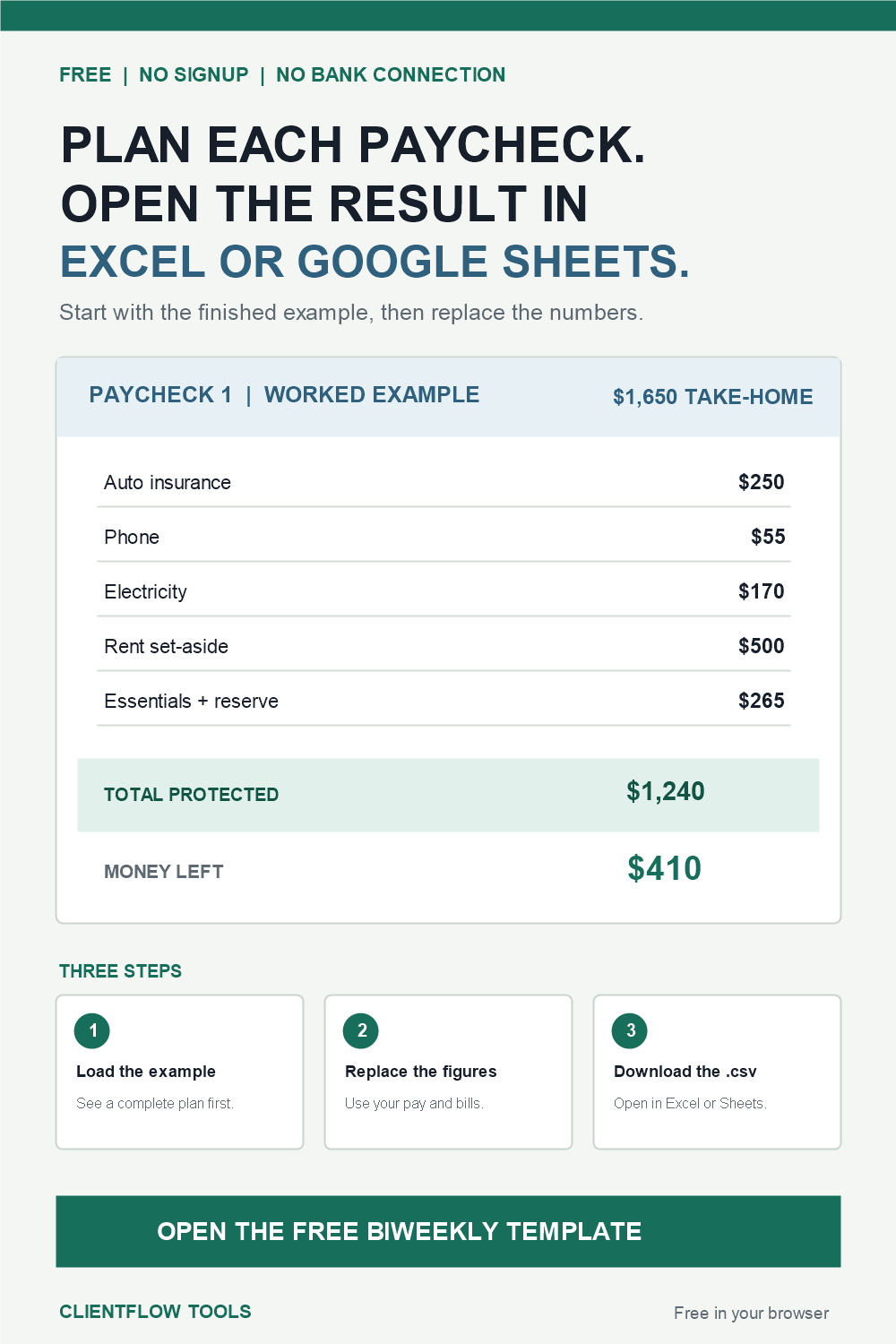
This household puts $500 of rent aside from each paycheck. Every other item appears under one paycheck only. The protected total is what must remain untouched; money left is take-home pay minus that total.
Paycheck 1$1,650 take-home
Paycheck 2$1,300 take-home
Five steps
Build the plan in due-date order
- 1Write both pay dates and net pay. Use the amount expected to reach the account, not gross pay.
- 2Split the next rent payment. Protect the required portion from each available paycheck and enter it once.
- 3Assign every unpaid bill. Place it under the paycheck that arrives before its due date.
- 4Protect essentials and a reserve. Include food, transportation, and a cushion before treating money as available.
- 5Review protected and left. If either paycheck is negative, move a flexible cost or reduce a nonessential category before spending.
The one-count rule
Rent belongs in one place per paycheck
If you enter $500 in the Rent set-aside field, do not add the same $500 again as a bill. Use the separate field when you are building rent over more than one paycheck. Use a normal bill row only when the full rent payment belongs to that single pay window.
Calculate the rent amount per paycheckPlan when rent is due before payday
Use the finished example
Replace the figures, then download your table
The free worksheet starts with the same $1,650 example, adds protected totals automatically, and creates a local CSV for Excel, Google Sheets, or Numbers. Your entries stay in the browser tab.
Use the free template nowThree-paycheck months
Plan all three windows before calling one extra
A biweekly calendar usually creates two months with three paychecks each year, but the exact months depend on the first pay date. Map every due date first. After rent, bills, essentials, and a reserve are protected, any true remainder can be directed to a goal instead of disappearing.
Common questions
How should I split rent between biweekly paychecks?
Choose how much of the next rent payment each available paycheck must protect. Enter each set-aside once and confirm that the pieces add up to the required rent.
Which paycheck should pay each bill?
Use the paycheck that arrives before the unpaid bill's due date. Check whether the payment has already reduced the balance so it is not counted twice.
What changes in a three-paycheck month?
There is a third pay window to plan. Protect every obligation first; only the amount left after the complete calendar is a true extra.
Can I use the plan in Excel or Google Sheets?
Yes. The free worksheet downloads a CSV file for Excel, Google Sheets, or Numbers after you enter your figures.
Does the worksheet connect to my bank?
No. It has no bank connection, and values entered into the worksheet remain in the current browser tab.
Need the due dates sorted for you?
Move from a worksheet to a reusable 35-day plan
The $7 planner sorts named bills into two pay windows, saves locally, and has no subscription or bank connection.